
What's new in Becoming: read your own books, a tidier Reader and your whole Goodreads library
By Nico, Founder of Becoming · Published
Here is the next batch. You can now read your own books in Becoming, one chapter at a time; the Reader in the app sorts what’s waiting into sections and tells you what’s next when you finish; your whole Goodreads library can come in from a file; and the Daily Review keeps a streak. Most useful first, with where to find each piece. Obsidian sync, the Sunday email and AI assistants that can tidy your library are in the early-November update.
If you are new here: Becoming gathers your highlights from Kindle, Readwise, Goodreads, Apple Books, Kobo, PDFs, articles, newsletters, YouTube and X into one library, brings a few back every day in the Daily Review, and on The Academy turns them into four-week Themes with a short daily Practice. Both plans include AI reading of what you save.
Everything below is live on the web and in the apps. On a phone it needs version 1.0.7, on the App Store and on Google Play.
Read your own books
Upload a DRM-free EPUB or a PDF, up to 50 MB, and read it in the Reader like anything else you saved: highlight a passage as you go, or press Listen to hear it read aloud. A book opens one chapter at a time, and the top of the page says where you are, Chapter 3 of 12. Tap or click it for Contents, which lists every chapter with the highlights you kept in each, and jump anywhere. Leave the book and it reopens at the chapter and the spot where you stopped.
On the web, drop the file anywhere on the page, or open Library › Add › Upload a file. In the app, it’s Library › + › Upload a file. An EPUB of a book Becoming knows arrives with its cover and details, and if the book is already in your library, the file joins it. A PDF you marked up in another app brings its highlights along. Whatever you upload stays private to you.
The upload guide has every way in and the limits, and the Reader guide covers reading a book with chapters.
A tidier Reader in the app
The Reader in the app sorts what’s waiting into sections: Continue reading, Saved by you, From your feeds and Recently finished. Tap a heading to fold its section away. Each row says where a piece is from and how long it takes, and one you’ve started shows how far you’ve got and the time left; for a book with chapters, that’s the whole book.
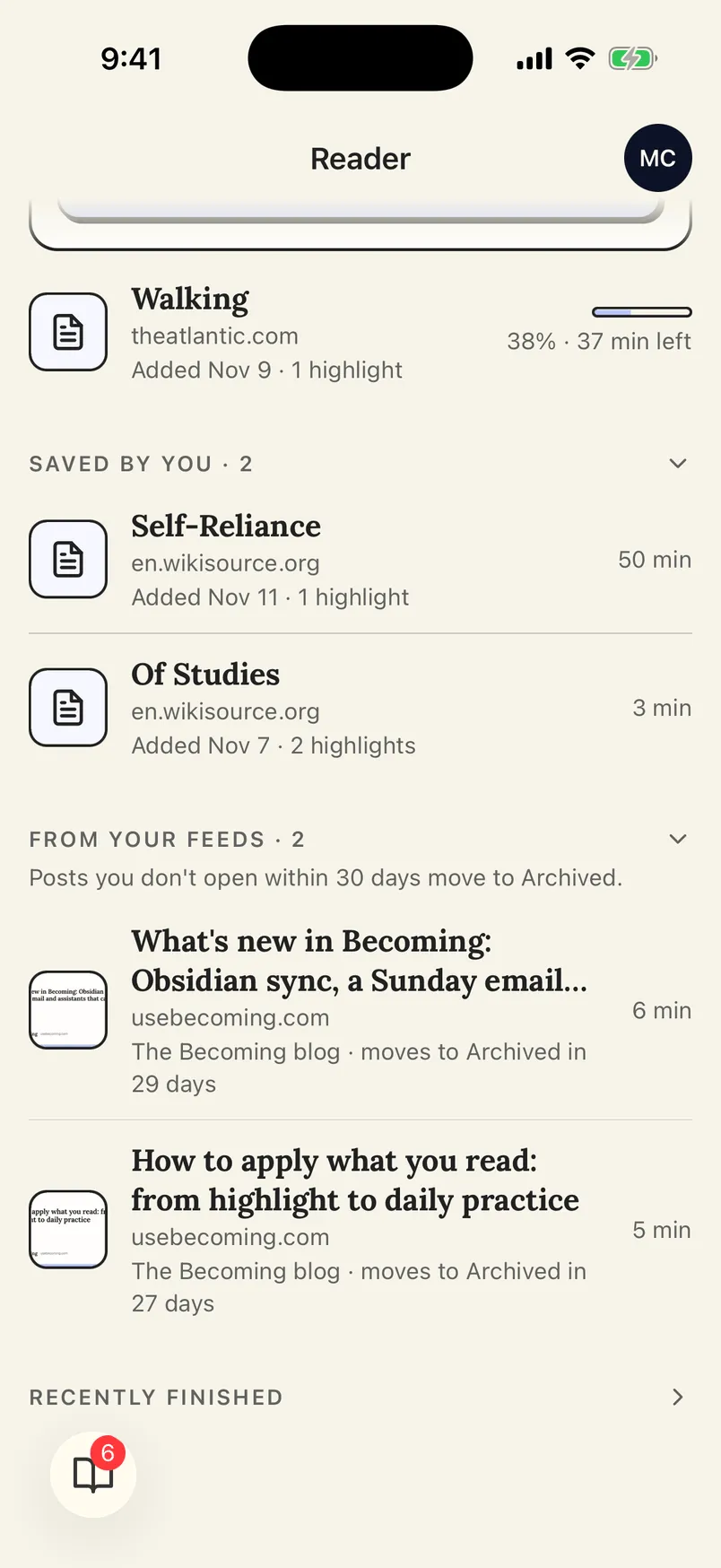 The Reader in the app: what you saved and what your feeds bring in, each in its own section.
As you read, a line at the bottom of the page follows your progress. Reach the end and a card says Finished: how many highlights you kept, with See them, Undo in case you weren’t done, and what’s Up next, so you can go straight on. More in the Reader guide.
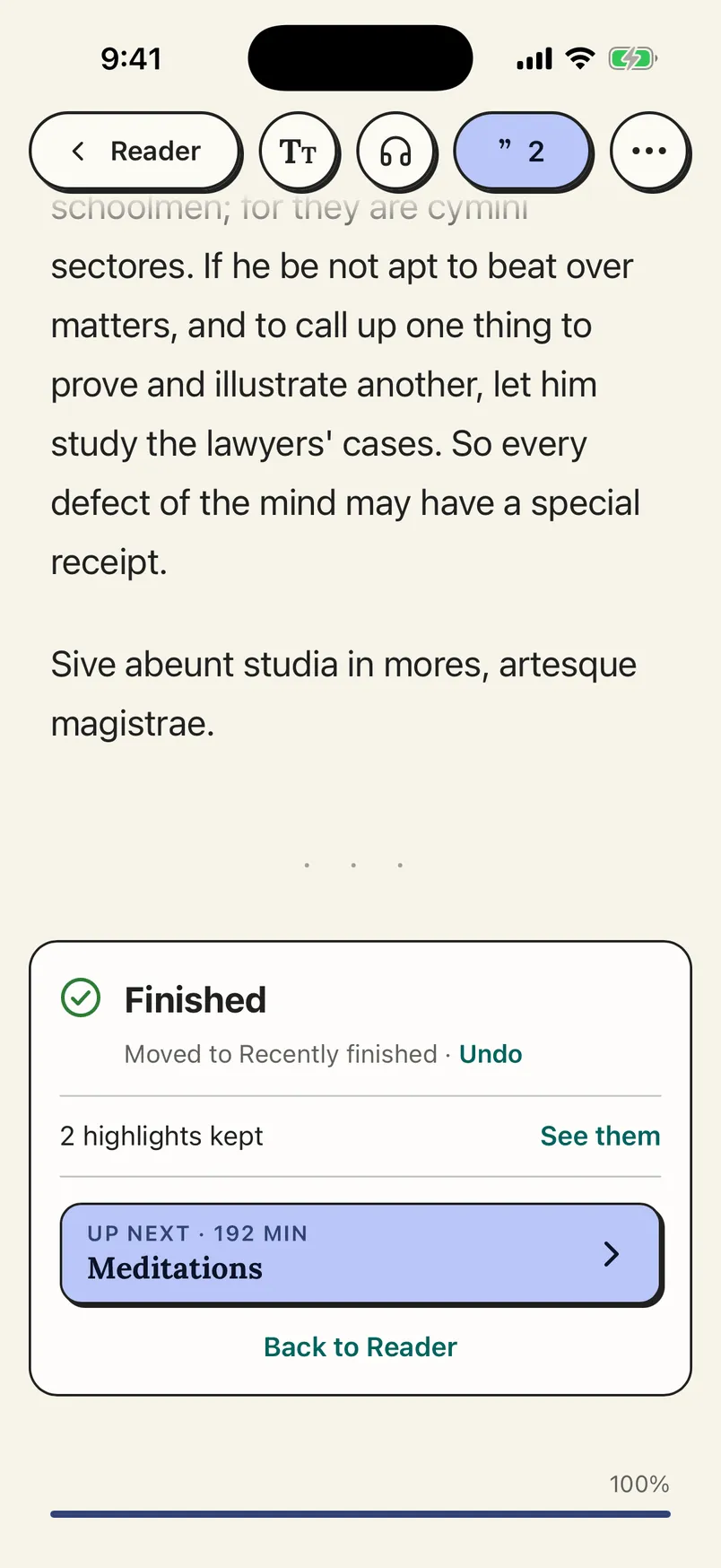 The card at the end of a piece: what you kept, and what’s next.
Your whole Goodreads library, from a file
Goodreads lets you download your library as a file, and Becoming can bring it in: every book on your Goodreads shelves, with the dates you read them, plus popular highlights from other readers.
To get the file, sign in to Goodreads on a computer, go to goodreads.com/review/import, choose Export Library, then the Your export from… link that appears below it. Then upload it to Becoming: on the web from Integrations › Goodreads library file, in the app from the Add tab › Import a Goodreads file.
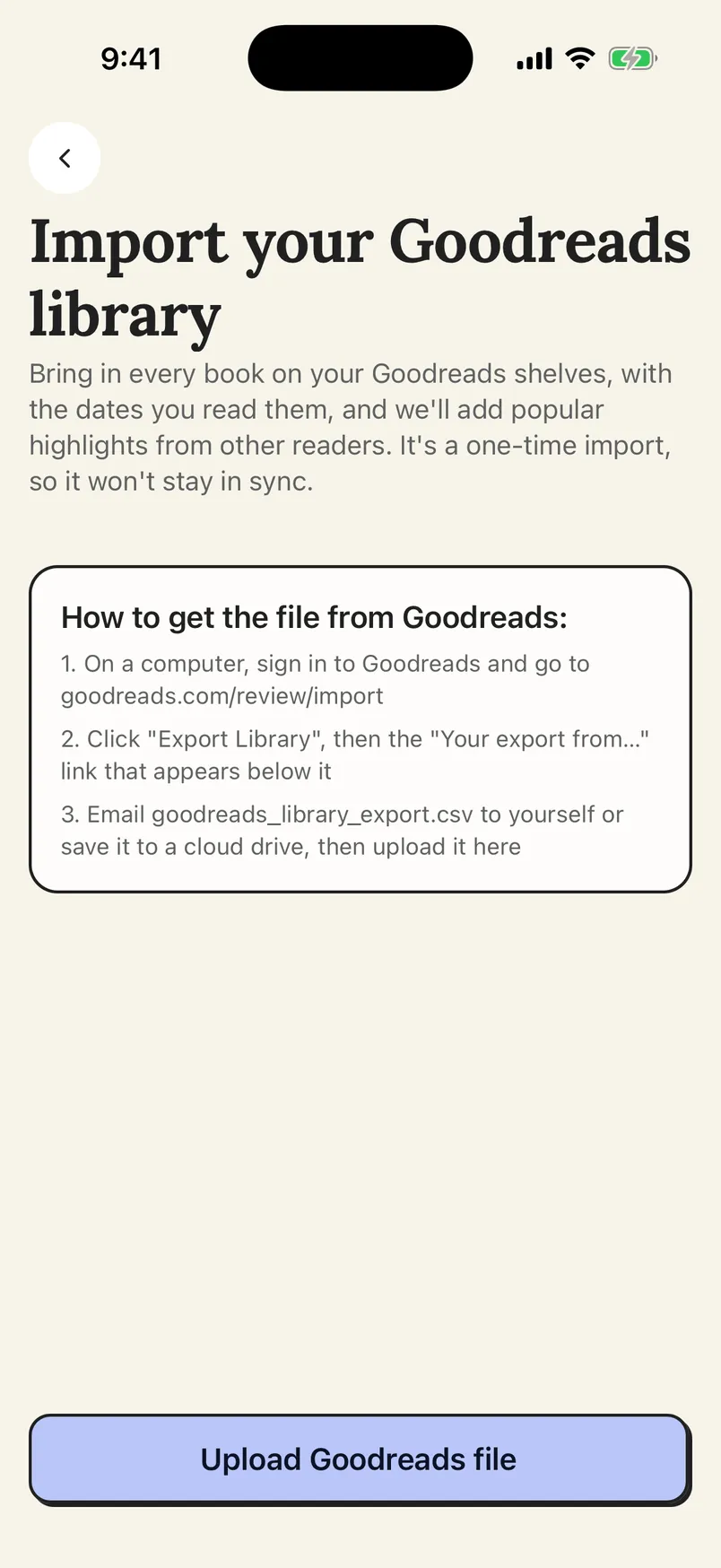 The steps to get the file are on the screen.
The file is a one-time import. To keep new Goodreads books coming in, connect your profile under Integrations › Goodreads as well; the Goodreads guide shows how.
A streak for your Daily Review
The Daily Review card on Home now counts your streak: how many of your review days in a row you’ve done it, with a dot for each day of the week. Only your review days count, so a day you’ve set off doesn’t break it. At zero, it says Start a streak today. It’s on the web and in the app; more in the Daily Review guide.
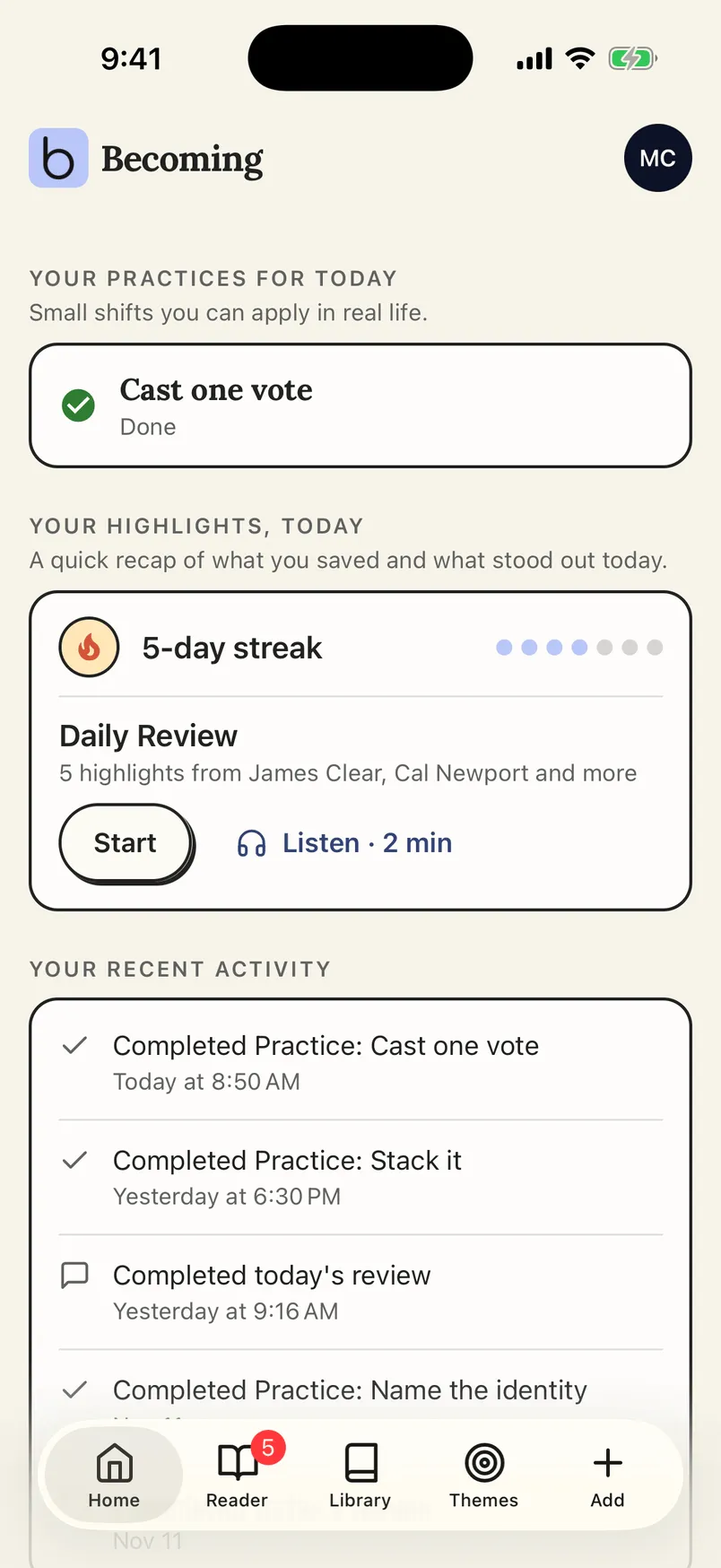 The streak sits at the top of the Daily Review card.
Smaller things that add up
- PDFs by link. Save a link to a PDF, up to 20 MB, and it lands in your library ready to read, with any passages highlighted in it. With a PDF open in Chrome, the Becoming extension’s toolbar icon saves it too. See web articles.
- YouTube videos without captions. They save to your library like any other video, just without a transcript to read or highlight. See YouTube.
- Big Kindle libraries import faster.
- A nudge after your review. Finish a Daily Review in the app with notifications off and Becoming offers to remind you next time. Turn on reminders sends one quiet reminder when your next Daily Review is ready, instead of an email.
- Reviews follow your own day. Each Daily Review is dated by the day where you are, so reviewing in the evening never costs you the next morning’s review.
On Android
Reminders arrive as notifications: your Daily Review, today’s Practices on The Academy, and a heads-up when an import you left running is ready. And the Highlight and Practice widgets are on the Android home screen too: Highlight shows a passage from your library, and Practice shows today’s Practice on The Academy. Touch and hold an empty spot on the home screen, choose Widgets and look for Becoming.
Where to go from here
If you have a folder of EPUBs, the upload guide says what comes along and what can’t be opened. If you are comparing highlight managers, start with the side-by-side with Readwise and the roundup of the best Readwise alternatives. For the idea behind Themes and Practices, read how to apply what you read.
The Library is $4.99 a month or $49.99 a year, and The Academy $6.99 a month or $69.99 a year, both with a 7-day free trial; see the pricing section. Step-by-step guides for everything above are in the Becoming help center.