
What's new in Becoming: listening, Android and Notion sync
By Nico, Founder of Becoming · Published · Updated
The last two weeks were the busiest since launch. The Reader can now read to you, the app is on Android, your highlights can live in Notion or in a folder of Markdown files, and a reader with nothing to import can start on day one. This post goes through what changed, most useful first, and where to find each piece.
If you are new here: Becoming is Readwise done better, plus Practices. It gathers your highlights from Kindle, Readwise, Goodreads, Apple Books, Kobo, PDFs, articles, newsletters, YouTube and X into one library, brings a few back every day in the Daily Review, and on The Academy turns them into four-week Themes with a short daily Practice.
Listen to what you saved
Open an article, a newsletter or a PDF in the Reader and press Listen. Becoming reads it aloud, in English or Spanish, and marks the sentence being read while the page follows along, so you can look up from the screen and find your place again in a glance.
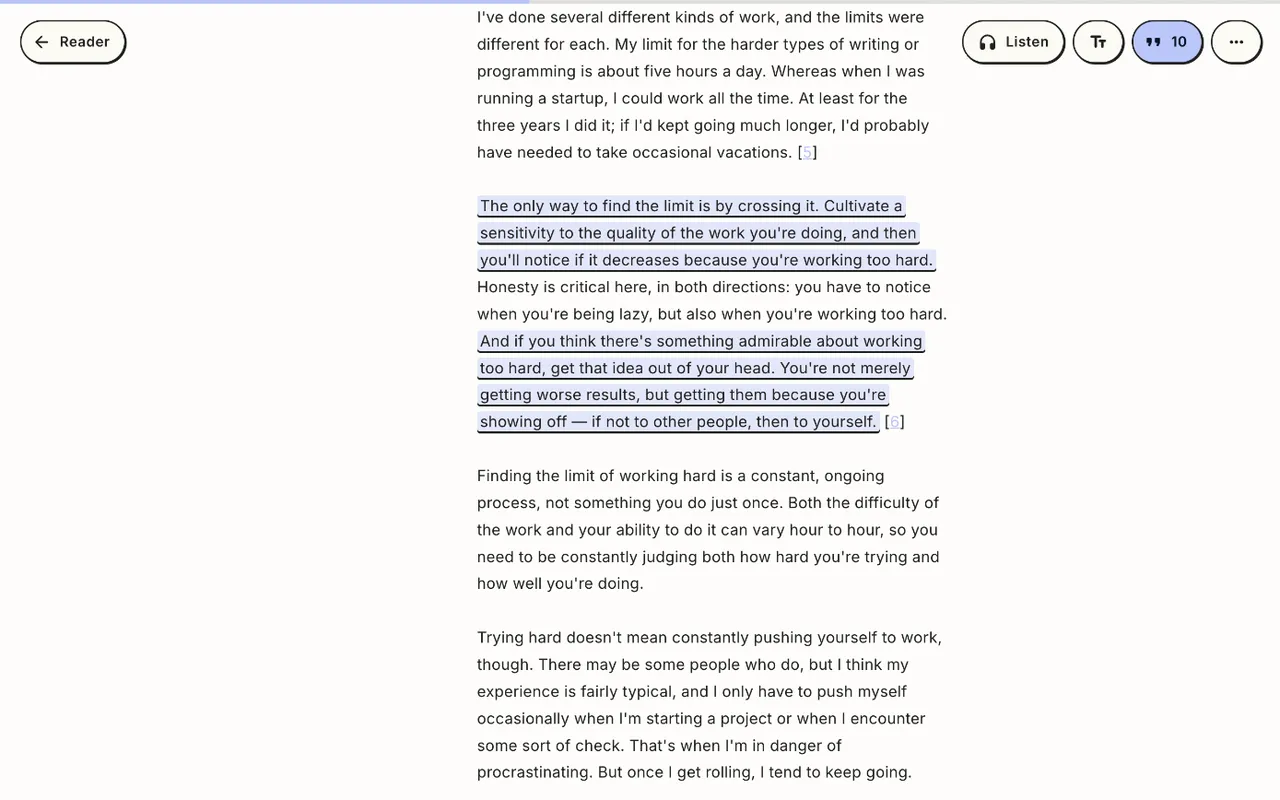 Listen is at the top of the Reader, by the text settings.
- Save sentence keeps the sentence you are hearing as a highlight, with no need to stop and select it.
- Play from here: select a passage and the reading starts there instead of at the top.
- Skip back or ahead one sentence at a time, and set the speed anywhere from 0.75× to 2×.
- On your phone it keeps playing with the screen locked, with controls on the lock screen.
- YouTube videos don’t need reading aloud: they bring their own sound. In the app they play right in the Reader with the transcript following along; tap a paragraph and the video jumps to that moment.
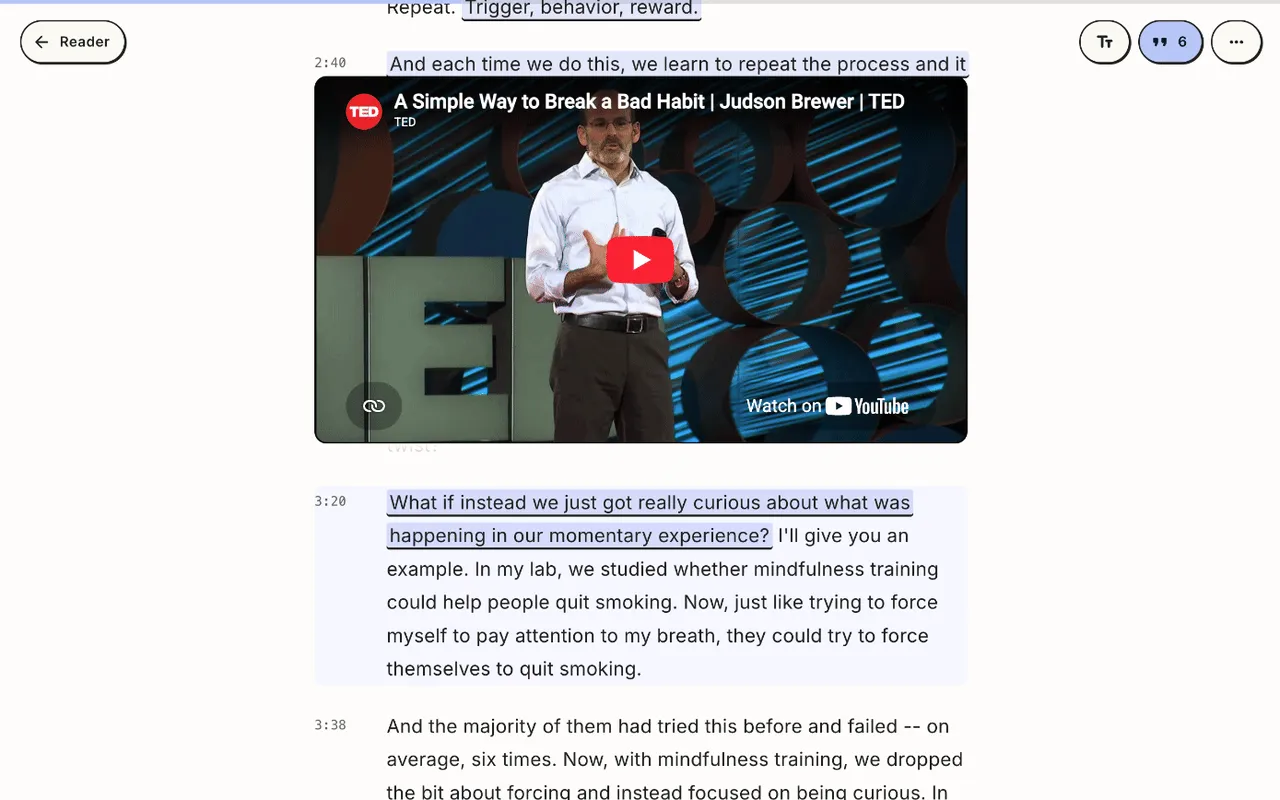 The same talk in the Reader on the web: the video stays pinned above its transcript.
Your Daily Review, read aloud. In the app, tap the headphones at the top of the review, or Listen on its card on Home. A host greets you and introduces each highlight by title and author, the quote is read in the same voice that reads your articles, the host adds a few words after it, and the cards turn as the audio moves on. Listen to the end and the review counts as done for the day.
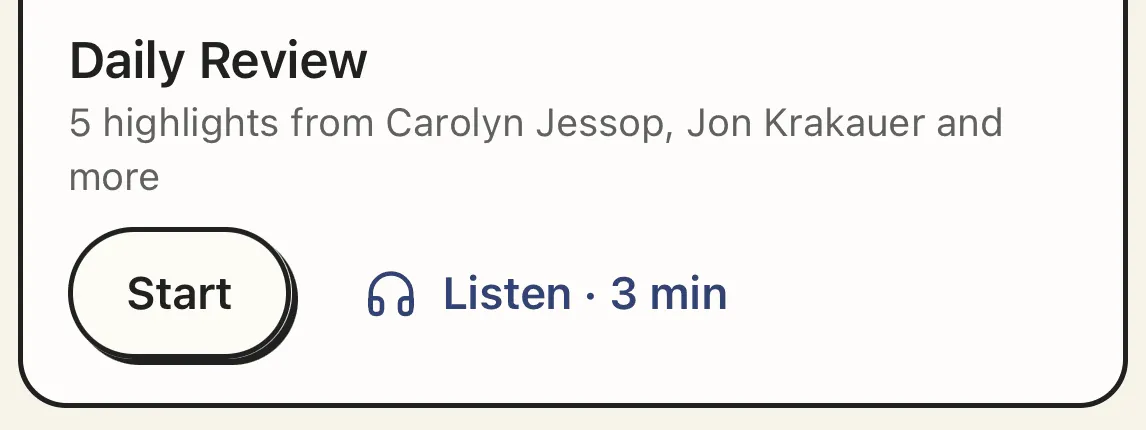 On Home in the app, the Daily Review card offers Listen next to Start.
Listening is in the Reader on the web and in the app, and in the Daily Review in the app; on a phone, update to the latest version of the app to get it. It comes with both plans: The Library generates up to 10 hours of new audio a month and The Academy 20. Replaying audio that was already made is free, so going back over a long essay doesn’t count twice. Trials include 1 hour on The Library and 3 on The Academy. Settings shows how much you have left and when it renews.
Becoming on Android
The Becoming app is now on Google Play, alongside the iPhone app on the App Store. It has what you use every day: the Daily Review, the Reader with listening, your library and its imports, and on The Academy, Themes and Practices.
If you want to send someone the app, usebecoming.com/app is one link that opens the right store on whichever phone taps it, and the website on a computer.
Your highlights in Notion, or in any app you like
Getting your highlights out is now as easy as getting them in.
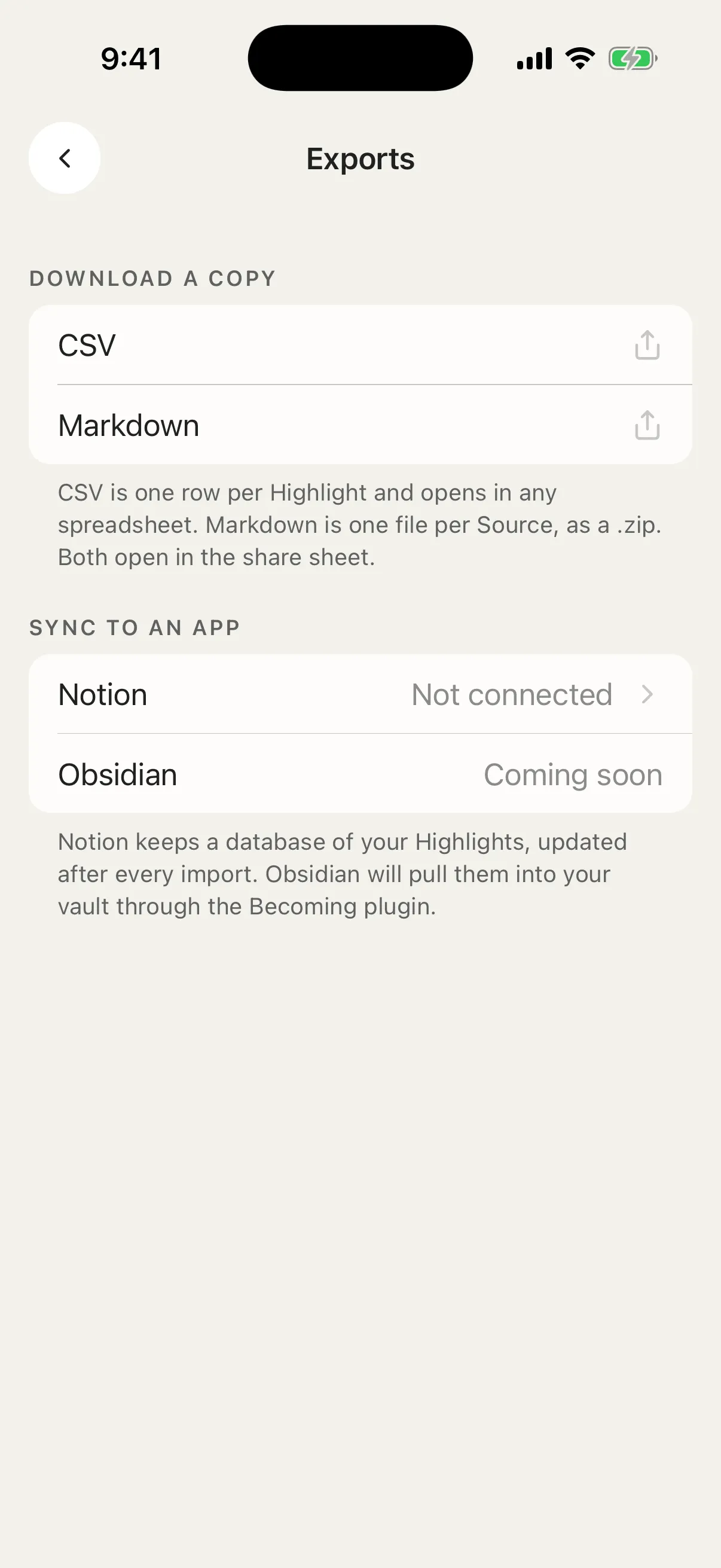 Settings › Exports in the app.
Sync to Notion. Connect Notion once from Exports in Settings, on the web or in the app, and Becoming fills a Notion database with your highlights: one page per book, article or video, with your notes and tags, and the cover when there is one. New highlights follow on their own a couple of minutes after every import. Posts you saved from X get their own Tweets view, grouped by author. Becoming only adds new highlights to those pages, so you can edit, move and annotate them in Notion without a sync undoing your work. Notion sync is included in the trial and in both plans.
Download a copy. In the same place, download your whole library as a CSV file that opens in Excel, Numbers or Google Sheets, or as a zip of Markdown files, one per source, ready to drop into Logseq or Apple Notes; for Obsidian, Becoming’s plugin keeps a vault folder in sync instead. In the app, both go out through the share sheet. For a single book or article, open its ⋯ menu and choose Export as Markdown: in the Library on the web, or on the book’s page in the app. If you use Becoming from Claude, ChatGPT or another assistant over MCP, it gained two matching tools: export_highlights for the CSV and get_source_markdown for one source.
Downloads stay available even if your subscription lapses. Your highlights are yours to take.
Readwise and Goodreads keep themselves up to date
You no longer need to press Sync. Once connected, Readwise and Goodreads are checked once a day in the background and only what is new comes in. The Chrome extension does the same for Kindle: once a day, while Chrome is open and you are signed in to Amazon. The app still syncs Kindle whenever you open its Kindle screen. The Kindle export guide walks through both routes.
Nothing to import? Start from your interests
Not everyone arrives with a Kindle full of highlights. If your library is empty, pick what you are working on (Focus, Habits, Sleep, Money, Meaning, Relationships, Leadership, Calm, Health or Creativity) and Becoming fills a starter shelf with popular books and talks on those topics, along with the passages readers return to most. Untick anything you would rather skip, and your first Daily Review opens with passages from the shelf.
You’ll find it on Home while the library is empty, and during setup as Start from your interests. Setup itself now offers more ways in on the web too: YouTube videos, saved links, photos of pages and pasted highlights, with a summary of what just landed before you move on.
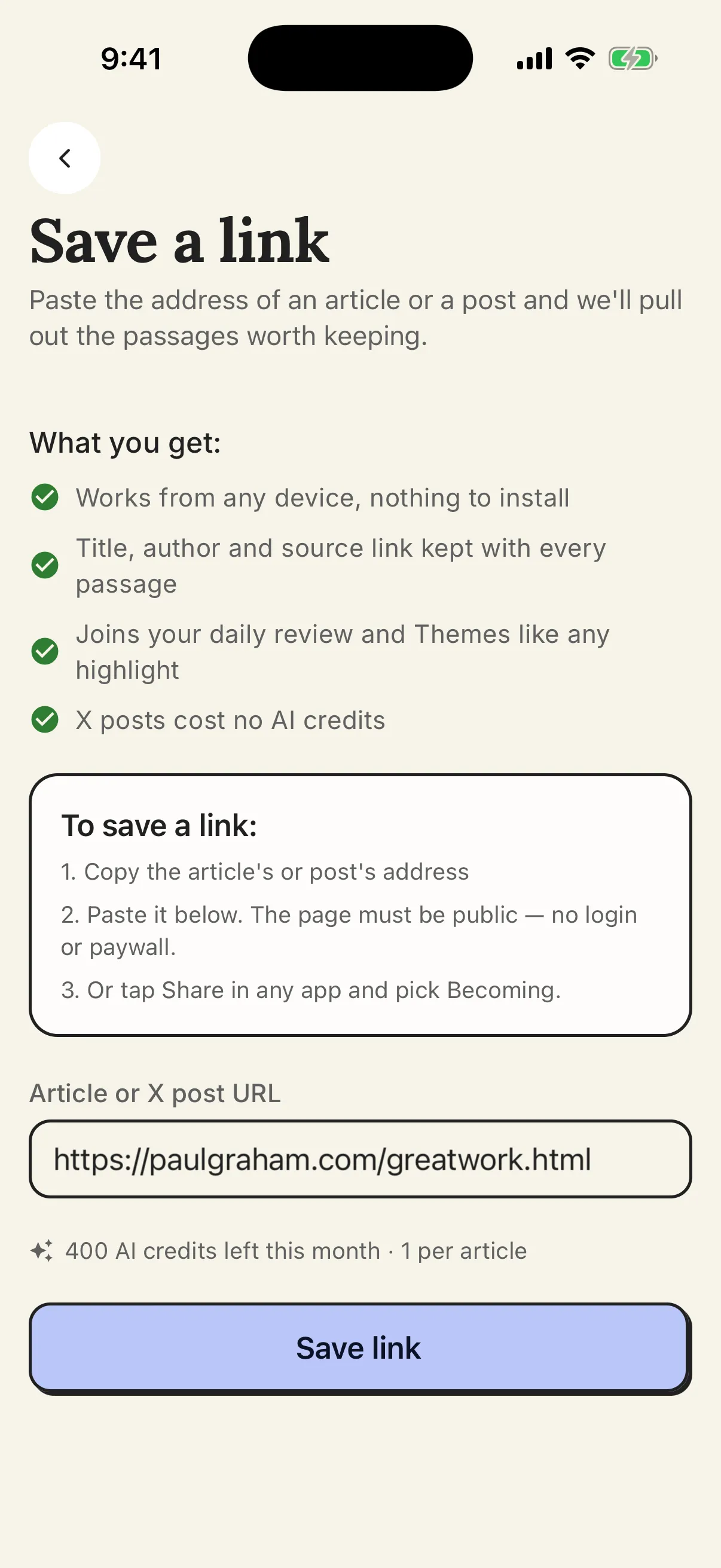 Save a link: paste the address of an article or an X post and Becoming reads the page for you.
Know a book before you add it
Recommended for you on Home suggests books you don’t own yet, based on what you read. Tap one to see About this book: the publisher’s description and a popular highlight, so you can decide before it joins your library. When a recommendation comes from posts you saved on X, the reason now names the account: “Because you saved posts from @handle.”
Smaller things that add up
- Share a highlight as an image. Turn a passage into a card for a story or a square post, with a choice of style and background, or copy it as text with its source. It works from the Daily Review, the Library and the Reader.
- Act on a highlight from the page. In the Reader, tap or click a saved highlight to copy, share or delete it without leaving what you are reading.
- A page for every source and every highlight on the web: open a book to see all its highlights, or a single passage on its own with its notes and tags.
- Goodreads in one tap on your phone. In the Goodreads app, share your profile and choose Copy; back in Becoming, tap the paste button and the import starts.
- Choose how a Theme starts. On The Academy, a new Theme now starts from a choice: describe what you want to work on, pick a few sources, or let Becoming read your whole library.
- Why this practice. Under each Practice, a disclosure shows the reasoning in one sentence and the highlight it is grounded in.
- One switch per reminder. In Settings, under Notifications on the web or Reminders in the app, turn Daily Review reminders and Practice reminders off separately. Your days and time are kept for when you switch them back on.
Where to go from here
If you are comparing highlight managers, the roundup of the best Readwise alternatives and the side-by-side with Readwise show where Becoming fits. For the idea behind Themes and Practices, read how to apply what you read.
The Library is $4.99 a month or $49.99 a year, and The Academy $6.99 a month or $69.99 a year, both with a 7-day free trial; see the pricing section. Step-by-step guides for everything above are in the Becoming help center.